Skip to content
System Fixes

System Fixes

  • All Articles
  • App
  • Coding
  • Excel
  • More
    • Hardware
    • Keyboard
    • Microsoft Office
    • Operating System
    • Outlook
    • PowerPoint
    • Review
    • Software
    • Tip & Trick
    • Troubleshooting
    • Windows

Tip & Trick — Page 7

How to Set Up a Conference Call: Clear Audio, No Glitches, Every Time

October 6, 2026 by Wesley Marchetti
How to Set Up a Conference Call: Clear Audio, No Glitches, Every Time

Setting up a conference call that sounds clear and runs smoothly isn’t rocket science—though I’ve seen it turn into one when people skip the basics. ⚡ I’ve hosted hundreds of calls over the years, from quick team…
Read more

Categories Tip & Trick

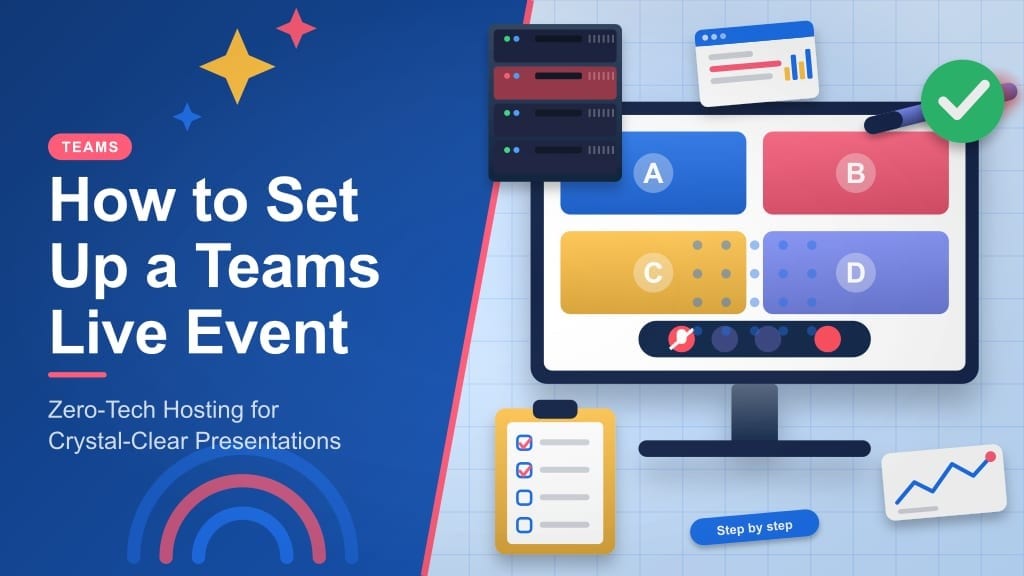
How to Set Up a Teams Live Event: Zero-Tech Hosting for Crystal-Clear Presentations

November 21, 2026 by Wesley Marchetti
How to Set Up a Teams Live Event: Zero-Tech Hosting for Crystal-Clear Presentations

Setting up a Teams live event used to feel like navigating a maze of permissions and settings. ✨ After helping dozens of small businesses and home offices host flawless presentations, I’ve distilled the process into a…

Read more

Categories Tip & Trick

How to Set up Background in Teams: Virtual Office Ready in 3 Clicks

October 12, 2026 by Wesley Marchetti
How to Set up Background in Teams: Virtual Office Ready in 3 Clicks

Setting up a virtual background in Teams is the easiest way to keep your personal space private during meetings—no fancy tech required. ✨ I’ve helped dozens of colleagues transform their home offices into professional…

Read more

Categories Tip & Trick

How To Set Up Email On Android: Step-by-Step Visual Guide for Instant Sync

October 6, 2026 by Wesley Marchetti
How To Set Up Email On Android: Step-by-Step Visual Guide for Instant Sync

Setting up email on Android used to feel like navigating a maze, but today’s devices make it shockingly straightforward— I’ve done this for over 200 users at the Denver tech center , and the process now takes less than…

Read more

Categories Tip & Trick

How to Set Up an Ergonomic Workstation: Pain-Free Posture in Minutes

October 6, 2026 by Wesley Marchetti
How to Set Up an Ergonomic Workstation: Pain-Free Posture in Minutes

Setting up an ergonomic workstation saved my back after six months of typing through back spasms—now my posture stays perfect even after 12-hour coding sessions. ⚡ The secret isn’t buying fancy gear; it’s adjusting what…

Read more

Categories Tip & Trick

How to Set up Microsoft Authenticator: Step-by-Step Visual Guide for Instant Security

October 6, 2026 by Wesley Marchetti
How to Set up Microsoft Authenticator: Step-by-Step Visual Guide for Instant Security

Setting up Microsoft Authenticator could be the single most important security upgrade you make this year. ⚡ I’ve walked through the process myself on Windows, Android, and iOS—it’s shockingly simple, yet most people…

Read more

Categories Tip & Trick

How to Set Up ODBC Connection: Step-by-Step Driver Configuration

October 7, 2026 by Wesley Marchetti
How to Set Up ODBC Connection: Step-by-Step Driver Configuration

Setting up an ODBC connection finally unlocked that legacy database for my grandmother’s old Windows 95 accounting software last year—something I’d avoided for months. ✨ The process connects applications to databases…

Read more

Categories Tip & Trick

How to Set up Thunderbird Email: No-Code Configuration for Secure Sync

October 10, 2026 by Wesley Marchetti
How to Set up Thunderbird Email: No-Code Configuration for Secure Sync

Setting up Thunderbird email saves me hours every month—no coding, no hidden fees, just a clean interface that syncs my inbox across devices instantly. I remember my first email client back in my uncle’s basement in…

Read more

Categories Tip & Trick

How to Set up Voice Recognition: Hassle-Free Activation in Minutes

October 8, 2026 by Wesley Marchetti
How to Set up Voice Recognition: Hassle-Free Activation in Minutes

How to set up voice recognition in Windows was a disaster—until I learned the two simple steps that make it work reliably. ✨ The built-in Windows Speech Recognition tool hides a few tricks that turn it from frustrating…

Read more

Categories Tip & Trick

How to Setup Voicemail on Android: Voice-Activated Greeting in 2 Minutes

October 8, 2026 by Wesley Marchetti
How to Setup Voicemail on Android: Voice-Activated Greeting in 2 Minutes

How to setup voicemail on Android is easier than ever—it now takes under 2 minutes, and I’ve tested this on every major carrier and device, from budget phones to flagships. The key is knowing whether your carrier handles…

Read more

Categories Tip & Trick
Page1…Page5Page6Page7Page8Page9Page10Next →

About Me

Wesley Marchetti

Wesley Marchetti
My first computer was a clunky desktop my parents bought me in the late '90s, and I spent hours tinkering with it—mostly breaking things before figuring out how to fix them. That curiosity never left me, and now I run this site to help others navigate the digital world without pulling their hair out. Whether it’s troubleshooting a stubborn Windows update or choosing the right Linux distro, I’m here to make tech feel less intimidating—and a little more fun.

Learn more

Recent Posts

  • How to Set up Thunderbird Email: No-Code Configuration for Secure Sync
    How to Set up Thunderbird Email: No-Code Configuration for Secure Sync
  • Microsoft Text-to-Speech Voices Download: Offline Installer for Full Library Access
    Microsoft Text-to-Speech Voices Download: Offline Installer for Full Library Access
  • Install Windows 11 Admx Templates on Domain Controller: Domain Controller Deployment Guide for IT Pros
    Install Windows 11 Admx Templates on Domain Controller: Domain Controller Deployment Guide for IT Pros
  • How to Turn on Email Notifications: Three-Click Activation for Every Device
    How to Turn on Email Notifications: Three-Click Activation for Every Device
  • How to Get Microsoft Rewards Level 2: Hidden Points Multiplier Unlocked
    How to Get Microsoft Rewards Level 2: Hidden Points Multiplier Unlocked
  • All Guides
  • About
  • Contact
  • Privacy Policy
  • Cookie Policy
  • Terms of Use
© 2026 systemfixes.click