
Coding
SQL Server 2012 introduced groundbreaking features that transformed database management. These 10 innovations boost performance, security, and developer productivity—essential knowledge for modern database professionals.
AlwaysOn Availability Groups
Downtime isn’t just a risk—it’s a liability for financial institutions, healthcare providers, and e-commerce platforms. AlwaysOn Availability Groups in SQL Server 2012 redefined high availability by offering synchronous data replication across multiple servers, ensuring zero data loss even during hardware failures.
This feature supports up to 8 secondary replicas per primary, with automatic failover in under 30 seconds. Unlike traditional mirroring, it handles read-scale workloads by offloading queries to secondaries, while transactional consistency guarantees no split-brain scenarios. The 99.999% uptime SLAs make it a game-changer for mission-critical apps like banking systems or global supply chains.
Ideal for enterprises where disaster recovery and minimal latency are non-negotiable, AlwaysOn Availability Groups eliminate the guesswork in redundancy planning. For DBAs managing high-stakes environments, this is the gold standard. ✨
Columnstore Indexes for Data Warehousing

If your data warehouse queries are sluggish under heavy analytical loads, Columnstore Indexes in SQL Server 2012 could be your game-changer. This feature revolutionizes performance by storing data in columnar format instead of rows, drastically reducing I/O and memory usage for aggregations and scans.
With up to 10x faster query performance for analytical workloads, Columnstore indexes automatically compress data column-wise while enabling batch processing. They’re especially powerful for large-scale datasets (think terabytes of transactional data) where traditional row-based indexes fall short. The zero-maintenance design means you can add them to existing tables without downtime.
This feature is a must for data analysts and BI teams working with massive datasets—ideal for retail analytics, financial reporting, or any scenario requiring complex aggregations across billions of rows. ⚡
Contained Databases for Security
Tired of security risks creeping in through server-level dependencies? SQL Server 2012's contained databases solve this by isolating database objects—meaning your data stays secure even if the instance is compromised.
This feature lets you move databases between servers with zero config changes, while built-in security policies (like contained users) prevent cross-database breaches. No more relying on instance-level logins—just pure, isolated data integrity. Perfect for multi-tenant environments or compliance-heavy industries.
DBAs and cloud architects will love how contained databases simplify disaster recovery and reduce attack surfaces. Your data stays locked down—no matter where it lives. ✨
SQL Server Data Tools Integration
Tired of juggling separate tools for database development? SQL Server Data Tools (SSDT) bridges the gap by embedding database project templates directly into Visual Studio, creating a seamless workflow for developers.
With SSDT, you get version control integration (via TFS or Git) and CI/CD pipeline support out of the box. The schema comparison and data generation tools let you sync changes across environments effortlessly, while unit testing for databases ensures reliability before deployment. Microsoft’s tight integration with Visual Studio means familiar shortcuts and debugging tools apply to your SQL scripts too.
This feature is a game-changer for database developers and DevOps teams managing complex schemas. Whether you're deploying to production or collaborating with a team, SSDT’s unified environment cuts deployment time by up to 40% while reducing errors. 💻
Window Functions Enhancements

Tired of writing convoluted self-joins just to rank sales by customer? SQL Server 2012's window function enhancements redefine analytical queries with the OVER() clause, letting you compute running totals, moving averages, and percentiles in a single pass.
The PARTITION BY and ORDER BY clauses now support frame specifications (ROWS, RANGE, and UNBOUNDED), while new functions like LAG() and LEAD() access previous/next rows without cursors. This means simpler code for time-series analysis, ranking, and cumulative calculations—all with zero temporary tables or complex joins.
Data analysts and report writers will love this—no more wrestling with subqueries to calculate year-over-year growth or moving averages. The performance boosts are especially noticeable in OLAP cubes and real-time dashboards. ✨
Contained Database Users
Tired of managing user permissions across multiple databases through the server level? Contained Database Users in SQL Server 2012 shifts authentication to the database itself, giving you granular control without server-wide dependencies.
This feature lets you create database-scoped logins that exist independently of the SQL Server instance. You can now assign permissions directly within a database, simplifying administration for multi-tenant environments. No more server-level logins cluttering your instance—just clean, isolated user management that scales with your needs.
Perfect for cloud deployments or shared hosting providers, where security isolation is critical. Your admins will thank you for the streamlined workflow! 💻
Power View for Self-Service BI
Tired of waiting for IT teams to generate reports? Power View bridges that gap by letting business users create interactive dashboards directly in SharePoint—no SQL knowledge required.
This self-service BI tool integrates seamlessly with SQL Server 2012 and Excel, offering drag-and-drop chart creation, data filtering, and real-time visualizations. It supports touchscreen gestures and multi-touch interactions, making it intuitive for non-technical users to explore data trends instantly.
Perfect for finance teams, sales analysts, or anyone needing quick insights—Power View turns raw data into actionable stories without developer bottlenecks. ✨
Sequence Objects for Number Generation
Tired of identity columns limiting your database design? SQL Server 2012’s sequence objects bring next-level flexibility for number generation, replacing rigid identity columns with reusable, customizable sequences across tables.
These objects support multiple tables, custom increment patterns (like Fibonacci or negative numbers), and cycle detection—ideal for scenarios like invoice numbering or multi-table auditing. Unlike identity columns, sequences persist even when rows are deleted, and you can define minimum/maximum values and cache sizes for performance tuning.
Perfect for developers managing complex schemas or needing precise control over numeric sequences—no more workarounds with triggers or temporary tables. ✨
Contained Database Backups
Struggling with database backups that tie you to a specific server? Contained Database Backups in SQL Server 2012 solves this by letting you back up entire databases—including their metadata, users, and schemas—without needing instance-level permissions.
This feature works by treating databases as self-contained units, meaning you can restore them anywhere with minimal setup. It’s perfect for disaster recovery (test restores in isolated environments) or development teams needing portable copies. The backup process is streamlined with T-SQL commands like BACKUP DATABASE TO URL, and restored databases retain their original configuration—no manual tweaks required.
Ideal for DBAs managing multi-environment deployments or developers testing database changes, this feature cuts through the complexity of traditional backups. ✨
SQL Server Data Quality Services
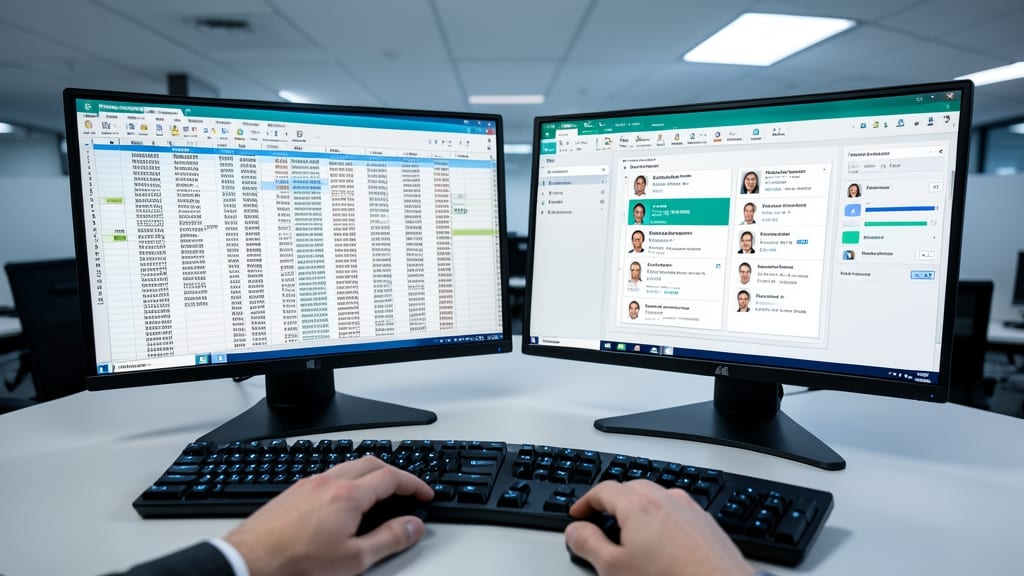
Tired of merging duplicate customer records or fixing inconsistent data across systems? SQL Server Data Quality Services (DQS) was designed to automate these headaches with enterprise-grade precision.
This feature integrates with Master Data Services to standardize data through automated cleansing, matching, and deduplication—handling everything from address validation to fuzzy matching for similar records. The DQS client provides a user-friendly interface for defining data quality rules, while the Knowledge Base lets you store and reuse cleansing logic across projects. For organizations dealing with legacy systems, it even supports data profiling to identify inconsistencies before applying fixes.
Perfect for finance, healthcare, or retail teams struggling with siloed data, DQS reduces manual effort while improving accuracy. It’s the ultimate tool for turning messy data into a reliable asset. ✨